
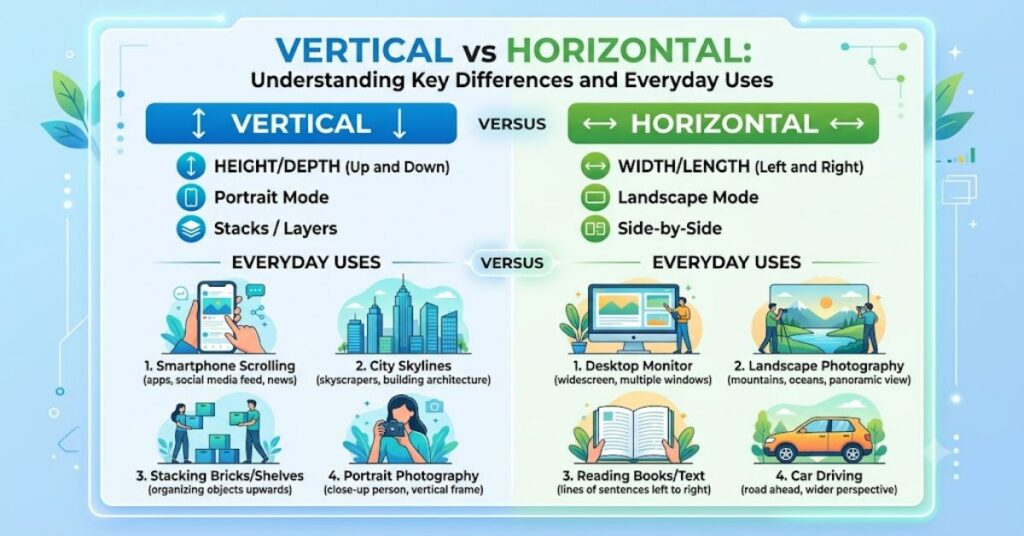
Understanding vertical vs horizontal is essential because these two orientations appear in nearly every aspect of everyday life. A vertical line runs straight up and down, remaining perpendicular to the horizon, while a horizontal line stretches from left to right, parallel to the horizon. Although the definitions seem simple, their applications extend far beyond basic geometry. From architecture and photography to smartphone screens, websites, and organisational structures, choosing between vertical and horizontal layouts affects functionality, appearance, and user experience.
Knowing when to use each orientation can improve efficiency, communication, and design decisions. Whether you’re hanging artwork, designing a presentation, or taking photographs, understanding these concepts makes everyday tasks much easier.
What Do Vertical and Horizontal Mean?
| Orientation | Definition | Example |
| Vertical | Up and down; perpendicular to the horizon | Buildings, trees, portrait photos |
| Horizontal | Side to side; parallel to the horizon | Roads, oceans, landscape photos |
These two directions are reference points used in mathematics, engineering, design, construction, and many other fields.
Everyday Examples
Vertical objects are designed to maximise height or organise information from top to bottom. Examples include lamp posts, elevators, bookshelves, and skyscrapers.
Horizontal layouts spread information across a wider space. Roads, dining tables, television screens, and panoramic photographs are common examples.
Recognising these orientations helps people interpret diagrams, navigate spaces, and arrange objects more effectively.
Vertical vs Horizontal in Photography
Photographers choose orientation based on the subject.
| Vertical (Portrait) | Horizontal (Landscape) |
| Best for people | Best for scenery |
| Highlights height | Captures width |
| Ideal for social media stories | Suitable for websites and banners |
| Focuses on a single subject | Includes more background detail |
Portrait orientation works well for individuals because it follows the natural shape of the human body. Landscape orientation captures broader scenes and environmental context.
Applications in Technology
Technology uses both orientations depending on the device and purpose.
Smartphones are commonly held vertically for messaging and social media, while tablets and monitors often switch between both orientations depending on the task. Television screens, computer monitors, and widescreen presentations generally use horizontal layouts because they match the human field of vision more naturally.
Software developers and designers also consider orientation when building responsive websites and mobile applications.
Architecture and Construction
Buildings rely on both vertical and horizontal elements for stability and appearance.
Vertical columns support weight and create height, while horizontal beams distribute loads and connect structural components. Engineers carefully balance these elements to ensure buildings remain safe and durable.
Without the combination of both orientations, modern bridges, homes, and skyscrapers would not function effectively.
Advantages and Limitations
| Vertical | Horizontal |
| Saves floor space | Provides wider viewing area |
| Draws attention upward | Easier for reading large layouts |
| Ideal for portraits | Better for panoramic scenes |
| Less suitable for wide content | Requires more horizontal space |
Neither orientation is universally better. The right choice depends entirely on the intended use.
Why Understanding the Difference Matters
Confusing vertical and horizontal can lead to design mistakes, construction errors, or poor visual communication. For example, choosing the wrong photo orientation may crop important details, while an unsuitable screen layout can reduce readability.
Professionals in architecture, photography, engineering, education, and graphic design regularly evaluate these orientations before making decisions.
The Future of Vertical vs Horizontal in 2027
As digital devices continue evolving, flexible displays and adaptive interfaces are becoming more common. Foldable smartphones and rotating screens already allow users to switch easily between vertical and horizontal views.
By 2027, responsive digital experiences are expected to rely even more on automatic orientation detection. However, the basic definitions of vertical and horizontal will remain unchanged because they are rooted in geometry and physical space rather than technology.
Key Takeaways
- Vertical means upright and perpendicular to the horizon.
- Horizontal means flat and parallel to the horizon.
- Photography uses portrait and landscape orientations for different creative purposes.
- Buildings require both vertical and horizontal structural elements.
- Modern technology supports both layouts depending on the application.
- Choosing the correct orientation improves usability and communication.
Conclusion
Understanding vertical vs horizontal goes beyond simple directional terms. These concepts influence how we design buildings, capture photographs, organise information, and interact with technology. Although each orientation serves a different purpose, neither is inherently superior. The best choice depends on the task, environment, and desired outcome.
By recognising the strengths of both vertical and horizontal layouts, individuals can make better design decisions, improve visual communication, and create more practical solutions in everyday life.
FAQ
What is the difference between vertical and horizontal?
Vertical runs up and down, while horizontal runs from side to side, parallel to the horizon.
Which is better for photography?
Portrait (vertical) is ideal for people, while landscape (horizontal) works best for scenery and wide compositions.
Why are computer monitors horizontal?
Horizontal screens match the natural field of human vision and provide more space for documents, videos, and multitasking.
Can smartphones be used in both orientations?
Yes. Most smartphones automatically rotate between vertical and horizontal depending on how they are held.
Where are vertical and horizontal used?
They are used in construction, architecture, engineering, photography, graphic design, mathematics, education, and digital technology.
Methodology
This article is based on standard geometry principles, educational resources, photography practices, and engineering concepts. Definitions and examples reflect widely accepted terminology used across academic and professional disciplines.
Editorial Disclosure: This article was drafted with AI assistance and should be reviewed by a human editor before publication.
References
Encyclopaedia Britannica. (2024). Vertical and Horizontal. https://www.britannica.com
National Geographic. (2024). Photography Composition Tips. https://www.nationalgeographic.com
Adobe. (2024). Photography Orientation Guide. https://www.adobe.com