
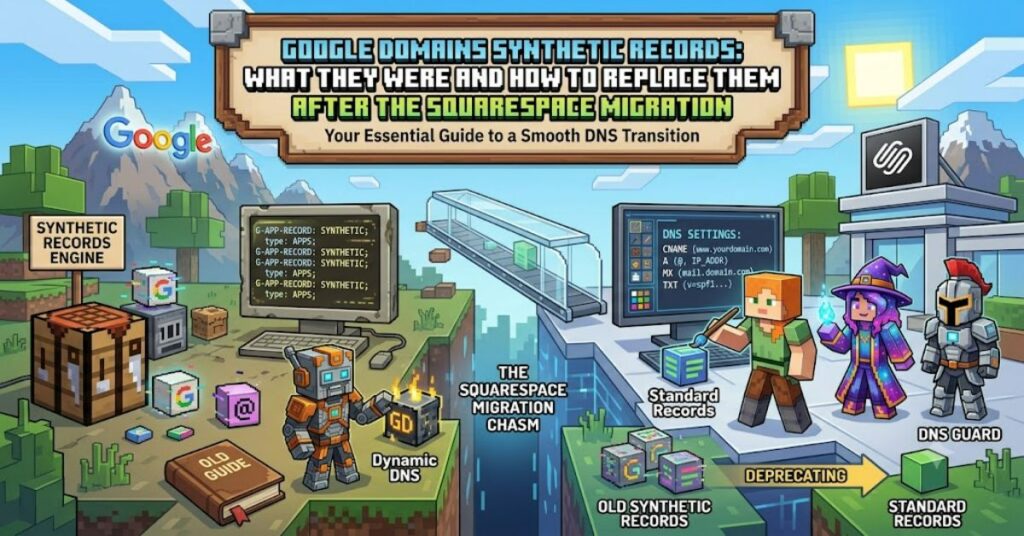
If you’ve recently managed a domain that was previously hosted on Google Domains, you may have noticed that Google Domains Synthetic Records are no longer available. This change followed Google’s sale of its domain registration business to Squarespace in 2023. While existing domains were transferred to Squarespace Domains, one popular feature did not make the transition: Synthetic Records.
Synthetic Records were designed to simplify common DNS tasks without requiring users to manually configure complex records. Whether you wanted to forward your website, redirect emails, or quickly connect Google Workspace, the feature automated much of the setup process.
Today, these automated options have disappeared. Instead, users must rely on traditional DNS records, web forwarding services, or third-party email forwarding providers. Understanding how Synthetic Records worked—and how to replace them—can help you avoid configuration errors and keep your domain functioning correctly.
What Were Google Domains Synthetic Records?
Synthetic Records were automated DNS configurations available in Google Domains. Instead of manually creating multiple DNS entries, users could enable predefined options that configured everything behind the scenes.
The feature focused on simplifying three common tasks:
- Domain forwarding
- Email forwarding
- Google Workspace integration
This approach reduced mistakes, especially for beginners unfamiliar with DNS management.
Why Were Synthetic Records Popular?
Many website owners have little experience editing DNS zones. A small typo in a record can make websites or email services stop working.
Synthetic Records removed much of this complexity by automatically creating the required DNS entries.
Benefits included:
- Faster setup
- Reduced configuration errors
- Beginner-friendly interface
- Automatic Google Workspace support
- Easy website redirects
For small businesses and personal websites, this convenience saved valuable time.
What Changed After the Squarespace Migration?
Google announced the sale of Google Domains to Squarespace, and customer accounts gradually migrated to the new platform.
Although Squarespace Domains continues to provide DNS management, the dedicated Synthetic Records interface was discontinued. Users now manage DNS using traditional record types such as:
- A Records
- AAAA Records
- CNAME Records
- MX Records
- TXT Records
- SRV Records
This provides greater flexibility but requires more manual configuration.
Common Replacements for Synthetic Records
| Former Synthetic Record | Modern Replacement |
| Website Forwarding | Domain forwarding service |
| Email Forwarding | Third-party email forwarding |
| Google Workspace Setup | Manual MX, TXT, and CNAME records |
| Dynamic DNS | External Dynamic DNS provider |
Although the process involves more steps, the same functionality remains available.
Understanding Standard DNS Records
Today, administrators need to understand the basics of DNS.
A Record
Connects a domain name to an IPv4 address.
AAAA Record
Points a domain to an IPv6 address.
CNAME Record
Creates an alias from one hostname to another.
MX Record
Specifies which mail servers receive email for your domain.
TXT Record
Stores verification data for services such as Google Workspace, Microsoft 365, and security technologies like SPF and DKIM.
Learning these record types makes domain management much easier.
Benefits of Manual DNS Configuration
Although Synthetic Records were convenient, manual DNS management offers several advantages.
First, users have greater control over every configuration.
Second, advanced DNS providers support features unavailable through Synthetic Records, including:
- Geo-routing
- Advanced security policies
- DNSSEC
- Traffic management
- Custom subdomain routing
For developers and businesses managing multiple services, manual DNS is often more powerful.
Challenges Users May Face
Moving away from Synthetic Records introduces a learning curve.
Some common challenges include:
- Understanding DNS terminology
- Configuring multiple records correctly
- Waiting for DNS propagation
- Troubleshooting incorrect configurations
Fortunately, most hosting providers offer setup guides that explain exactly which records need to be added.
Practical Tips for Managing DNS
To reduce errors:
- Keep a backup of your existing DNS records.
- Change one setting at a time.
- Double-check IP addresses and hostnames.
- Allow time for DNS propagation before making additional changes.
- Use online DNS lookup tools to verify changes.
These habits make troubleshooting much easier.
Comparison Table
| Feature | Synthetic Records | Manual DNS Management |
| Ease of Setup | Excellent | Moderate |
| Flexibility | Limited | Excellent |
| Beginner Friendly | Yes | Requires basic knowledge |
| Advanced Configuration | Limited | Full control |
| Available Today | No | Yes |
The Future of DNS Management in 2027
DNS management continues to become more user-friendly despite the removal of Synthetic Records. Hosting companies are investing in guided setup tools, automated verification, and AI-assisted configuration to simplify complex DNS tasks. At the same time, businesses increasingly rely on advanced security features such as DNSSEC, SPF, DKIM, and DMARC to protect domains from spoofing and phishing attacks.
Rather than returning to simplified Synthetic Records, the industry is moving toward smarter DNS dashboards that combine automation with greater customization.
Key Takeaways
- Google Domains Synthetic Records simplified DNS management.
- The feature ended after the migration to Squarespace Domains.
- Standard DNS records now replace all previous functionality.
- Manual DNS management offers greater flexibility and control.
- Learning basic DNS concepts helps avoid common configuration mistakes.
Conclusion
Google Domains Synthetic Records made domain management accessible for millions of users by automating common tasks such as website forwarding, email forwarding, and Google Workspace configuration. Following the migration of Google Domains to Squarespace, this feature was discontinued, requiring users to configure standard DNS records instead. Although the transition initially feels more technical, manual DNS management provides greater flexibility and compatibility with modern hosting platforms. By understanding core record types and following best practices, domain owners can confidently manage websites, email services, and third-party integrations without relying on legacy automation tools.