
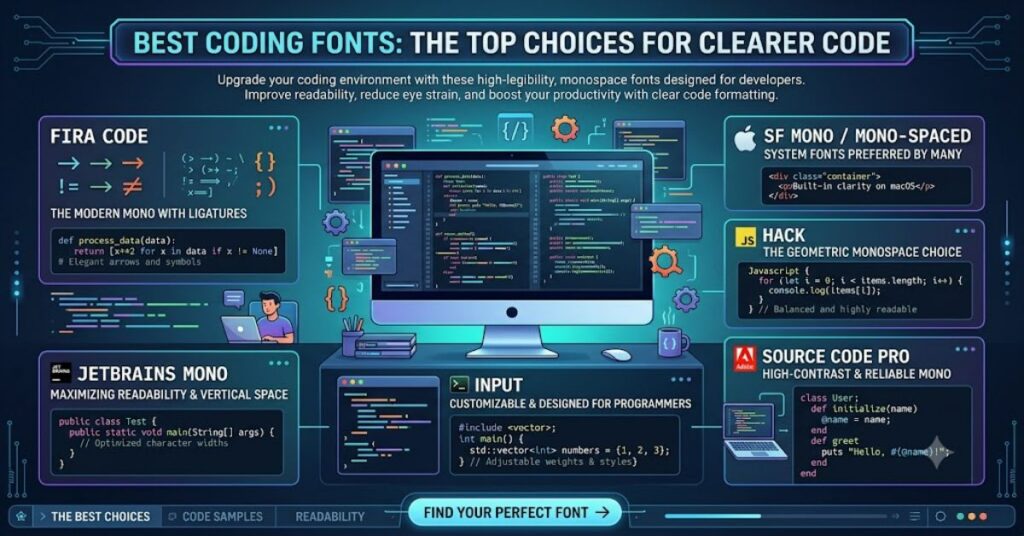
The best coding fonts are designed to make source code easier to read, scan and understand. Unlike ordinary text fonts, coding fonts must handle programming symbols, numbers, brackets and similar-looking characters without creating confusion. Good spacing and clear letterforms can make a noticeable difference when developers spend hours looking at an editor or terminal.
Three widely recognised options are JetBrains Mono, Fira Code and Cascadia Code. Each takes a slightly different approach to programming typography. JetBrains Mono focuses strongly on character distinction and readability. Fira Code is known for programming ligatures that visually combine common symbol sequences. Cascadia Code was designed with modern terminals and development environments in mind.
Choosing between them is not simply a matter of which font looks best. The right option depends on your programming language, editor, operating system, preferred font size and whether you enjoy ligatures.
What Makes a Coding Font Effective?
A programming font needs to solve a simple but important problem: helping developers recognise information quickly.
Most coding fonts are monospaced, meaning each character occupies the same amount of horizontal space. This allows indentation and code alignment to remain predictable. It is especially useful when working with terminal output, configuration files and programming languages where spacing is visually important.
Character distinction is another major factor. Developers regularly encounter characters such as zero and capital O, lowercase l and uppercase I, or numbers and punctuation that can appear similar.
A good coding font separates these characters through differences in shape, spacing or internal markings. This reduces the chance of misreading code.
JetBrains Mono: A Strong All-Round Choice
JetBrains Mono is one of the most practical choices for general programming. It was designed specifically for developers, with character shapes and proportions intended to support extended periods of code reading.
One of its useful features is the distinction between easily confused characters. Its design also includes programming ligatures, giving developers the option of displaying certain combinations in a more visually connected form.
The biggest advantage of JetBrains Mono is balance. It does not depend entirely on decorative features. Its basic letterforms remain clear even when ligatures are not the main attraction.
For developers who want one dependable font across different languages and tools, JetBrains Mono is an excellent starting point.
Fira Code: Designed Around Programming Symbols
Fira Code takes a more distinctive approach. Its best-known feature is programming ligatures.
In source code, operators such as arrows and comparison symbols are often written using several characters. Fira Code can visually combine some of these sequences into a single glyph while leaving the underlying code unchanged.
This can make complex expressions easier for some programmers to recognise at a glance. Instead of visually processing every individual symbol, the developer may perceive a familiar programming operator as one unit.
However, ligatures are not universally preferred. Some developers want the screen to represent every source character exactly as it appears in the file. For those users, a traditional monospaced design may feel more natural.
Cascadia Code: A Practical Windows Option
Cascadia Code is closely associated with Microsoft’s developer ecosystem and Windows Terminal. It was created with terminal and development use in mind, making it a natural choice for people who spend significant time in Windows-based workflows.
The Cascadia family also includes variants designed for different preferences. Developers can choose a version with programming ligatures or use a monospaced alternative without them.
Its strength is therefore not just appearance. Cascadia Code fits naturally into a workflow involving Windows Terminal, PowerShell and Microsoft development tools.
For Windows-focused developers, it deserves serious consideration.
Best Coding Fonts Compared
| Font | Main Strength | Ligatures | Ideal User |
| JetBrains Mono | Character clarity | Yes | General developers |
| Fira Code | Programming symbols | Yes | Ligature fans |
| Cascadia Code | Windows integration | Yes | Windows and terminal users |
There is no single font that will be perfect for everyone. Personal preference remains important, particularly when code is displayed for many hours each day.
Choosing the Right Font
| What You Prioritise | Recommended Choice |
| General readability | JetBrains Mono |
| Visual operator recognition | Fira Code |
| Windows Terminal use | Cascadia Code |
| Minimal visual changes | A standard monospaced variant |
| Distinct characters | JetBrains Mono |
A simple comparison can help. Open the same piece of code in each font and look specifically at variables containing 0, O, 1, l and I. Then check brackets, quotation marks, arrows and comparison operators.
The font that lets you identify these elements with the least effort is usually the better choice for your workflow.
Risks and Trade-Offs
Font choice can affect readability, but it cannot solve every visual problem. A good typeface displayed too small may still be uncomfortable. Similarly, excessive use of ligatures can become distracting for developers who prefer literal character visibility.
Line height also matters. Increasing vertical spacing can make large blocks of code easier to scan, while excessively wide fonts can force developers to scroll horizontally more often.
This means font selection should be considered alongside editor settings. Font family, size, line height, theme and screen resolution work together.
The Future of Best Coding Fonts in 2027
The future of programming typography is likely to remain focused on clarity rather than decoration. As development environments become more sophisticated, developers will continue to spend significant amounts of time reading code generated by themselves, colleagues and automated tools.
This may increase the importance of quickly recognising symbols and unfamiliar syntax. Fonts designed specifically around programming are well positioned for that environment.
At the same time, there is unlikely to be one universal standard. Developers have different visual preferences, operating systems and workflows. Traditional monospaced fonts will remain useful alongside fonts with advanced ligatures and specialised character designs.
Key Takeaways
- Coding fonts should prioritise clarity over appearance alone.
- JetBrains Mono is a balanced choice for everyday development.
- Fira Code is particularly useful for developers who enjoy ligatures.
- Cascadia Code is well suited to Windows and terminal workflows.
- Character distinction is essential when selecting a programming font.
- Font size and line spacing can be just as important as font family.
- Personal testing is the best way to identify a comfortable option.
Conclusion
The best coding fonts are the ones that reduce visual friction while you work. JetBrains Mono, Fira Code and Cascadia Code each offer a strong solution, but they approach programming typography differently.
JetBrains Mono is a reliable all-round option with strong character distinction. Fira Code appeals to developers who want programming ligatures to make operators more visually recognisable. Cascadia Code is particularly practical for Windows users and terminal-heavy workflows.
Rather than choosing a font based only on popularity, developers should test several options using their own code. Pay attention to confusing characters, punctuation, spacing and long-session comfort. A font that looks impressive in a screenshot may not necessarily be the one that works best during everyday programming.
FAQ
What are the best coding fonts?
JetBrains Mono, Fira Code and Cascadia Code are strong options for modern development. The best choice depends on readability preferences, operating system and editor workflow.
Is JetBrains Mono good for coding?
Yes. JetBrains Mono was designed specifically for developers and focuses on readable proportions, clear characters and programming-oriented features.
Is Fira Code better than JetBrains Mono?
Neither is universally better. Fira Code is especially appealing if you like programming ligatures, while JetBrains Mono offers a balanced approach to character clarity and general readability.
Is Cascadia Code good for programming?
Yes. Cascadia Code is a practical choice for developers working with Windows Terminal and Microsoft-focused development environments.
Should programmers use font ligatures?
Ligatures are optional. They can help some developers recognise programming operators quickly, while others prefer every source character to remain visually separate.
What should I look for in a coding font?
Look for clear character distinction, consistent spacing, comfortable proportions and good readability at your preferred editor size.
Methodology
This article follows the supplied editorial brief and focuses on the three coding fonts identified in the source material: JetBrains Mono, Fira Code and Cascadia Code. The comparison is based on their stated design purposes, programming features and typical development use cases.
No unsupported firsthand testing claims have been presented as personal experience. Font preference is subjective, and factors such as screen resolution, font size, editor settings and individual visual preference can affect the final experience.
Editorial disclosure: This article was drafted with AI assistance and should receive human editorial review before publication. Technical claims and references should be checked against current primary documentation during final review.
References
JetBrains. JetBrains Mono: A typeface for developers.
Microsoft. Cascadia Code documentation.
Tonkyk. Fira Code: Free monospaced font with programming ligatures.